The businesses AI forgot.
Ask ChatGPT for the best plumber in Austin and it names a handful. AIgnored finds the established businesses it never mentions, in any city, and writes the pitch that wins them.
- Runs on your own API keys
- Free plan, no card
- Official APIs, no scraping
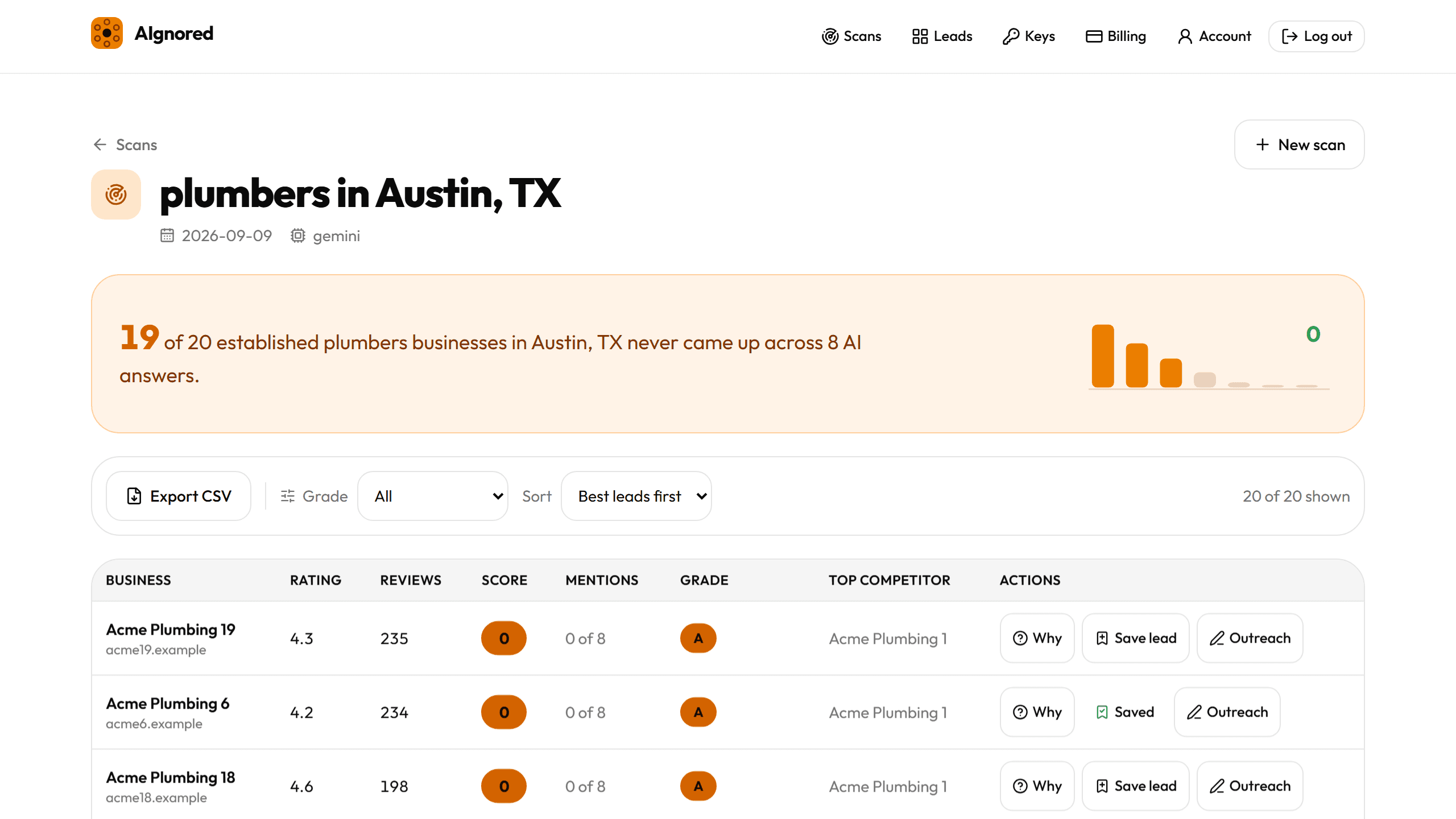
What the answers actually look like
The numbers you see come from the scan you run, on your own keys. We do not publish market statistics we cannot source, so there are none on this page. The methodology page shows how every number is produced.
An AI answer names a handful of businesses
A search page gives ten results and then more pages of them. An assistant gives a short list of names and stops. A business below that list is not ranked lower, it is absent from the answer the buyer reads.
The same few names come back
A scan asks each model 8 differently worded versions of the same question. Counting how many answers repeat a name separates the businesses the models really recommend from the one that came up once by chance.
Every other business is named zero times
Established businesses with good ratings and real review counts can finish a scan with 0 mentions out of 8 answers. Those are the rows this product exists to find, and the ones an agency can sell against.
How it works
- Step 1
Pick a city and a niche
Type the service and the city, for example plumbers in Austin, TX. Google Places returns the operational businesses with at least 5 reviews, using your own key.
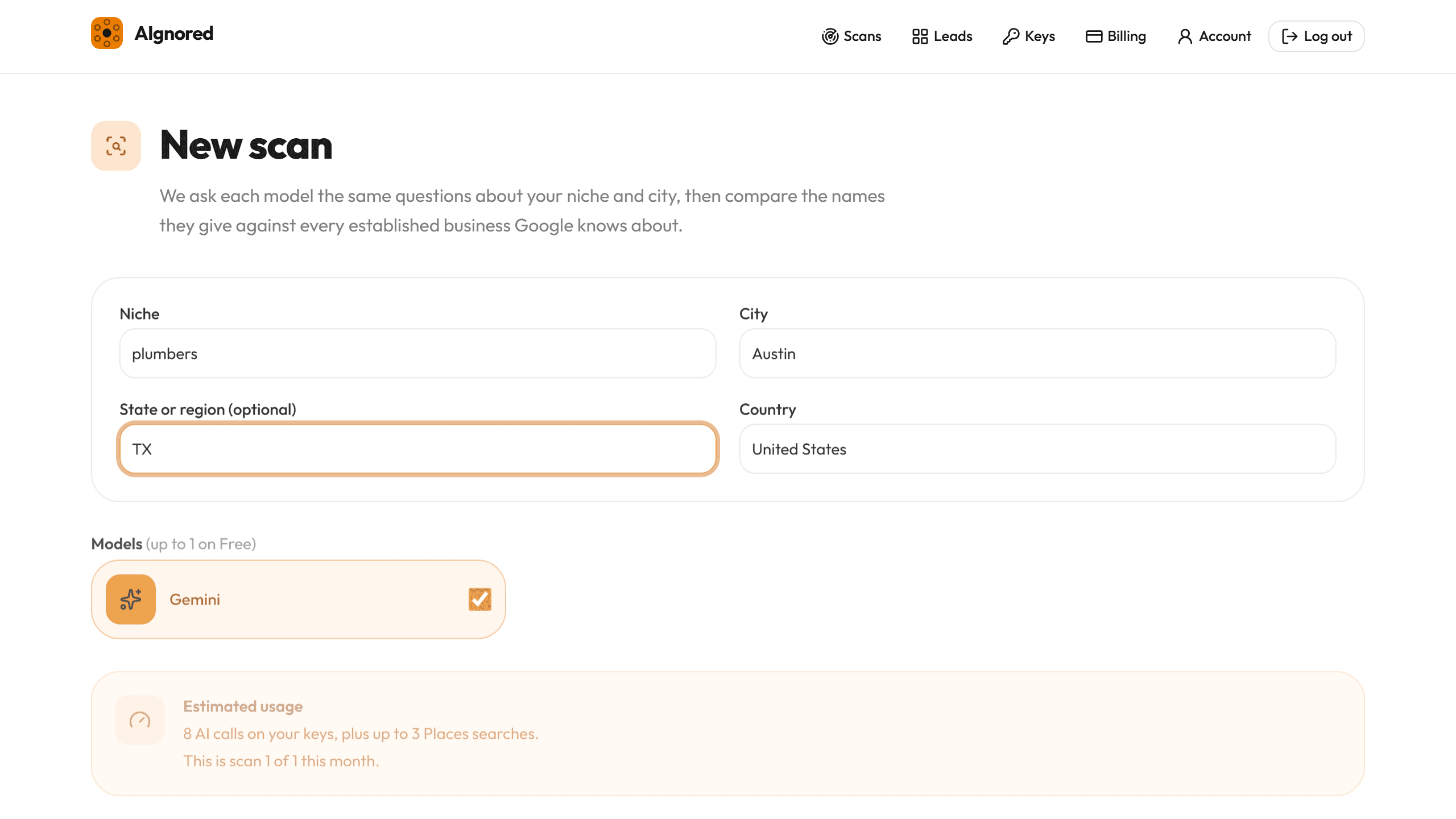
The form, with the estimated call count before you run anything. - Step 2
We ask each model 8 differently worded questions, with web search on
Each model gets the same 8 phrasings. Your plan sets how many models one scan may use, up to three, so a scan is 8 to 24 answers. Search grounding is switched on wherever the provider supports it, so answers reflect what a model can find today rather than what it memorised in training.
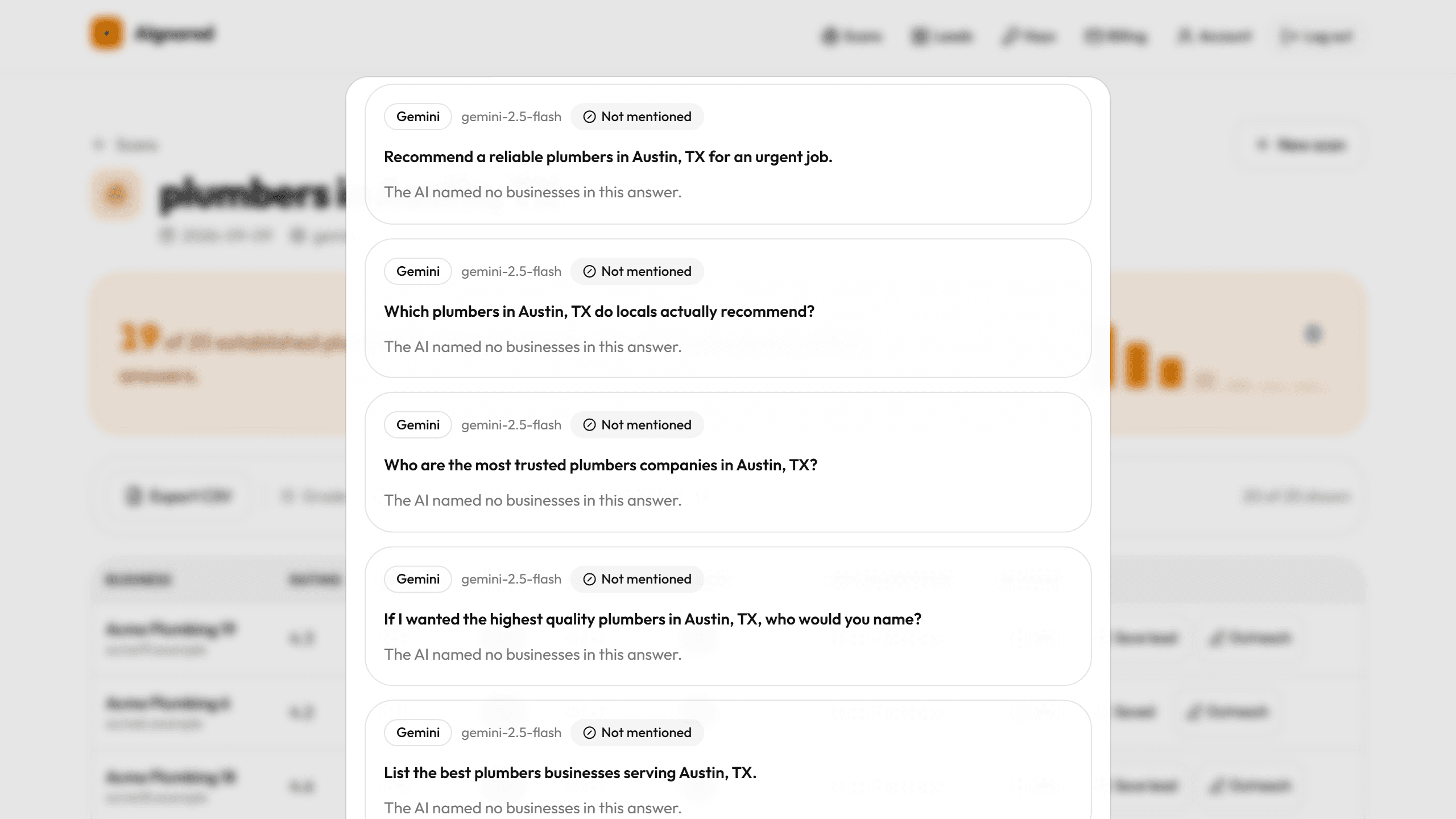
Every answer is kept. The why drawer shows the questions and the names each one gave. - Step 3
You get the businesses that never came up
Each business gets a score out of the answers that completed, a grade, the competitor the models named instead, and an outreach email and LinkedIn DM written from that scan.
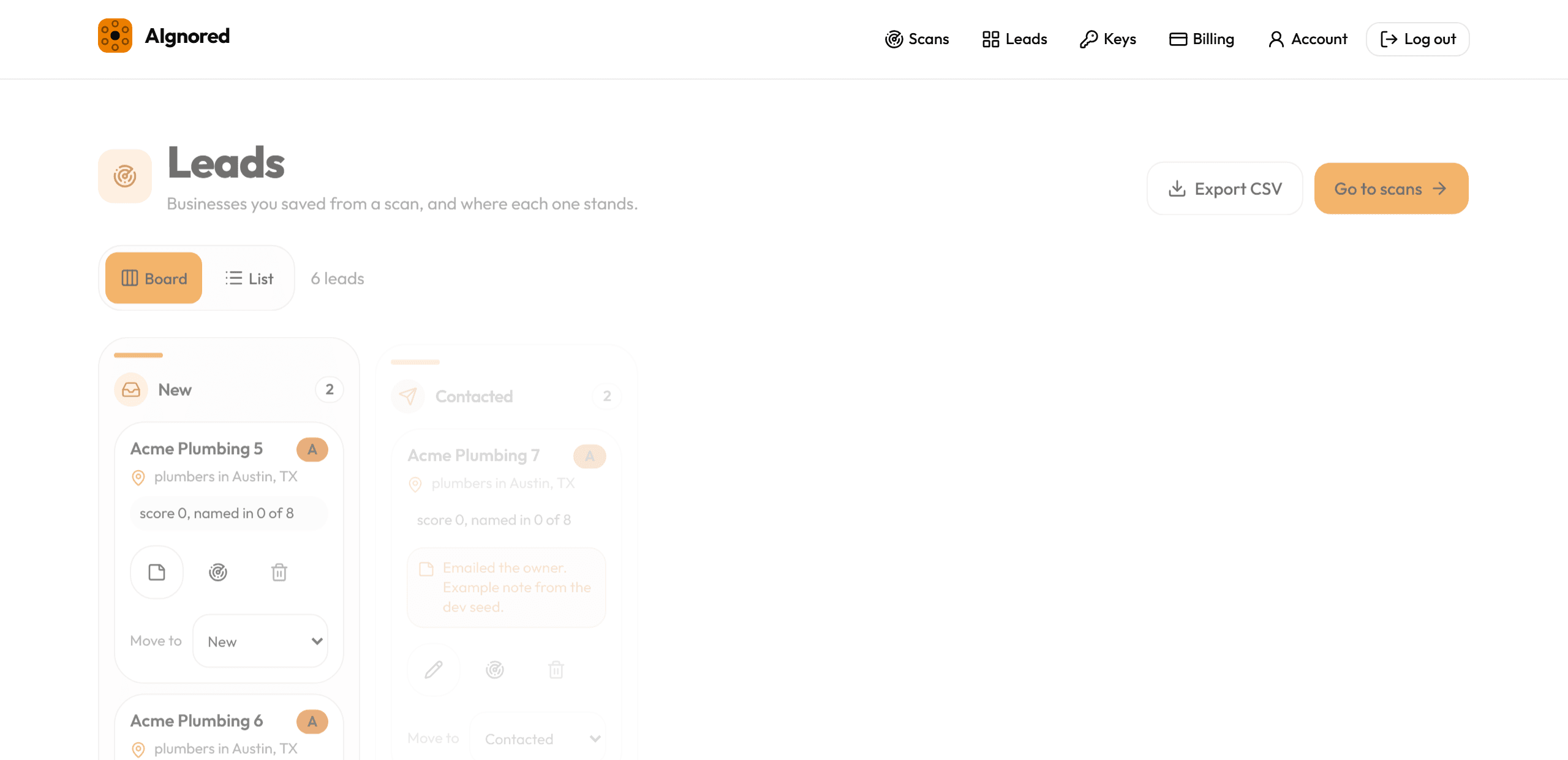
Saved businesses move across the board, with example rows here.
What you get
BYOK cost control
Scans run on your own OpenAI, Gemini and Perplexity keys, so you pay the providers directly and we never mark their prices up. Keys are encrypted with AES-256-GCM and are never shown again after you save them.
A why drawer on every probe
Open any score and read the 8 questions we sent, the answer text that came back, and the names matched out of it. Borderline name matches are listed for you to confirm rather than guessed.
Leads pipeline
Save a business as a lead and move it across New, Contacted, Replied, Won and Lost, with notes on each lead and a link back to the scan it came from.
CSV export
Export one scan or your whole board with names, contact fields, score, grade, top competitor and the generated email. The Google fields refresh at the moment you click. Paid plans only.
A grade on every business
Grade A is an established business no answer named: a 4.2 rating or better, 25 reviews or more, and a website. B allows a score up to 15 and C up to 40, so you know who to call first.
Works for any service niche
Anything people ask an assistant to recommend: plumbers, roofers, dentists, HVAC, law firms, med spas. You type the niche, there is no fixed list to pick from.
The outreach comes written
Every saved business generates one email and one LinkedIn DM from that scan: the score, the number of answers checked, and the competitor named instead. Under 120 words for the email, under 60 for the DM, no hype words, one clear ask. You can edit every line before you send it.
From: {your agency}
To: {business}
Subject: The AI answers for {niche} in {city} do not mention you
I asked ChatGPT, Gemini and Perplexity who the best {niche} in {city} are, {answers checked} different ways. {top competitor} came up {competitor mentions} times. {business} came up zero.
That gap is fixable, and I do exactly that for local businesses. Worth a 15-minute look?
Who it is for
Agencies selling AEO
You need prospects with a problem you can demonstrate in one line. A scan gives you the list and the proof in the same click.
Freelance SEOs adding a service
AI visibility is a service you can quote on top of the SEO work you already do, backed by a report the client can read themselves.
Lead-gen resellers
Export a scored list as CSV and sell it, with the score described for what it is: a measurement of what AI models answered, not a promise about revenue.
Pricing
The plan sets how much you can run here, not what a scan costs you. Provider fees go straight to the provider on your own keys.
Free
$0
- 1 scan a month
- 1 model per scan
- 3 outreach messages a month
- No CSV export
Starter
$29 / month
- 10 scans a month
- 2 models per scan
- Unlimited outreach messages
- CSV export
Pro
$79 / month
- 40 scans a month
- 3 models per scan
- Unlimited outreach messages
- CSV export
Agency
$149 / month
- 150 scans a month
- 3 models per scan
- Unlimited outreach messages
- CSV export
Compare the plans in full for what a scan costs you in API terms, and what happens if you cancel.
Questions before you sign up
- How is the score calculated?
- We count how many of the completed AI answers named the business, divide by the number of answers that completed, and round to a whole number. Named in 3 of 8 answers is 38. Named in none is 0. Grades A, B and C then sort the list by score, rating, review count and whether the business has a website. See the full calculation.
- Do API answers match the ChatGPT app exactly?
- No. They are a close approximation. We query the same models through their official APIs with web search on. The ChatGPT, Gemini and Perplexity apps add their own system prompts, personalisation and product logic that no API exposes, so read a scan as a strong approximation of what those apps say, not a transcript of them. Read the limits in full.
- Whose API keys are used, and what does a scan cost me?
- Your own. You add an OpenAI, Gemini or Perplexity key plus a Google Places key, and you pay those providers directly at their prices. We add no margin. A scan is 8 AI calls per model, so 8 to 24 in total, plus 1 to 3 Places searches. Opening a results table or the leads board makes one Place Details call per business shown, a CSV export makes one per business in the file plus one for each top competitor not already in it, and once a day a saved lead marked new, contacted or replied whose snapshot is older than 25 days is refreshed with one more. On the free Gemini grounding allowance the AI calls cost $0. On a paid model it is those 8 calls at the provider's own published rate, which is the number worth checking on their pricing page. Set your keys up.
- Is this scraping?
- No. Every call is an official API called with your key: the Google Places API for the business list, and the model APIs for the answers. No headless browsers, no scraper services. We keep the Google place_id, which Google allows indefinitely, plus a working snapshot of each business's name, rating, review count and website domain for scoring, which is deleted with the scan. On screen, those fields are fetched live with your key. How the data is sourced.
- Which niches work best?
- Service niches people ask an assistant to recommend, in places where Google has enough profiles to compare: plumbers, roofers, HVAC, dentists, law firms, med spas. A scan keeps only businesses that Google marks as operational with at least 5 reviews, so a very new or very thin niche returns a short list. The 8 questions, explained.
- How fresh is the data?
- The AI answers are generated the moment you run the scan, with web search on, and every result carries the date it was run. Business names, ratings, review counts and websites are fetched live from Google with your key each time a table opens, so with a Places key saved you read today's Google data, not the snapshot taken during the scan. Run the same check by hand.
- Can I export leads?
- Yes, as CSV, either for one scan or for your whole leads board, on the paid plans. The export refreshes the Google fields at the moment you click, streams the file without storing it, and carries the Google attribution line in its footer row.
- Do the scanned businesses know?
- No. A scan asks AI models questions and reads public Google data. Nothing is sent to the business, and nobody is notified. If you email one, that message is yours to send and yours to keep legal under CAN-SPAM, GDPR and the rules where you and they are.
- What happens when I hit my scan limit?
- New scans stop until the counter resets on the first of the month. Everything you already ran stays readable, and so do your leads. You can change plan at any point to raise the limit straight away. Compare the limits.
- What is your refund policy?
- 14 days, full refund, no questions asked. Email hello@aignored.com and we refund the last payment through Lemon Squeezy, who are the merchant of record for every purchase. Read the refund policy.