Docs
Get a Google Places API key
AIgnored calls Google Places with your own key, and Google bills each call to your project. A scan makes 1 to 3 Text Search calls to find the businesses. Results tables, the leads board, CSV exports and a daily refresh of the leads you are still working make Place Details calls, one per business, and the section after step 5 counts each one. We keep the place_id and a working snapshot of each business for scoring, which is deleted with the scan. The key takes about 5 minutes to set up, and Google gives every project a monthly free allowance per Places SKU.
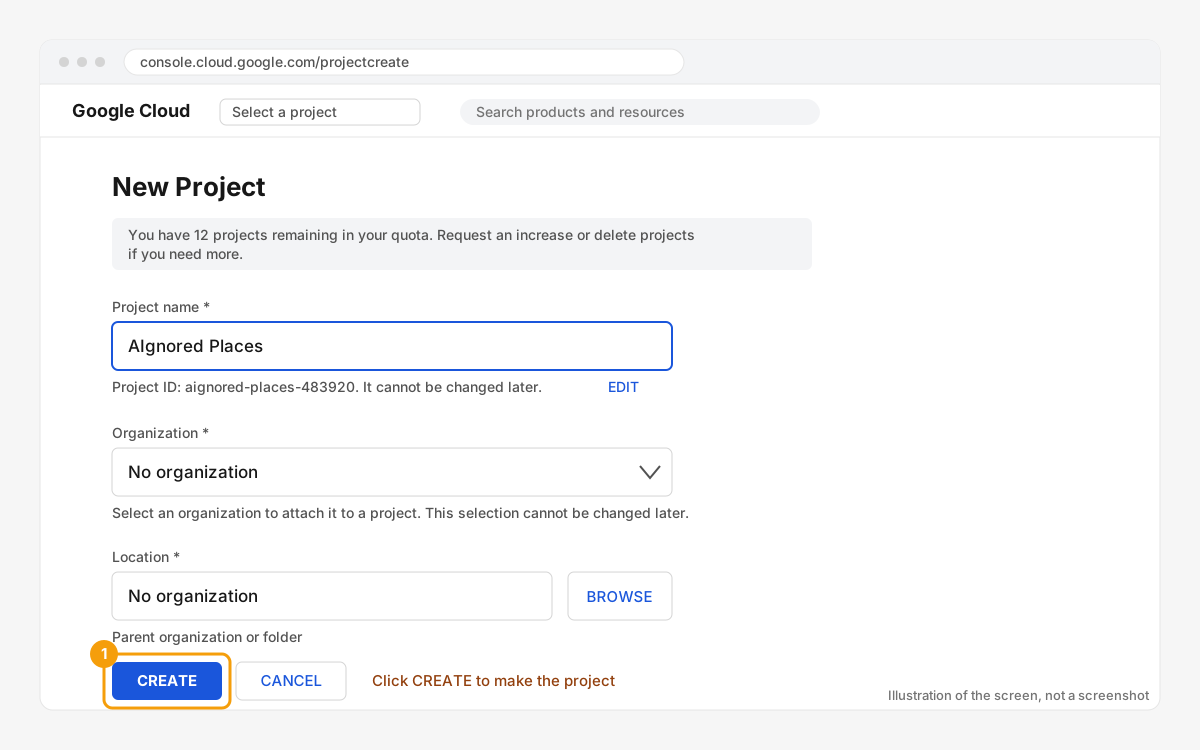
1Create a Google Cloud project
Open console.cloud.google.com/projectcreate, sign in with any Google account, name the project (for example AIgnored Places) and click Create. A dedicated project keeps this key separate from anything else you run.
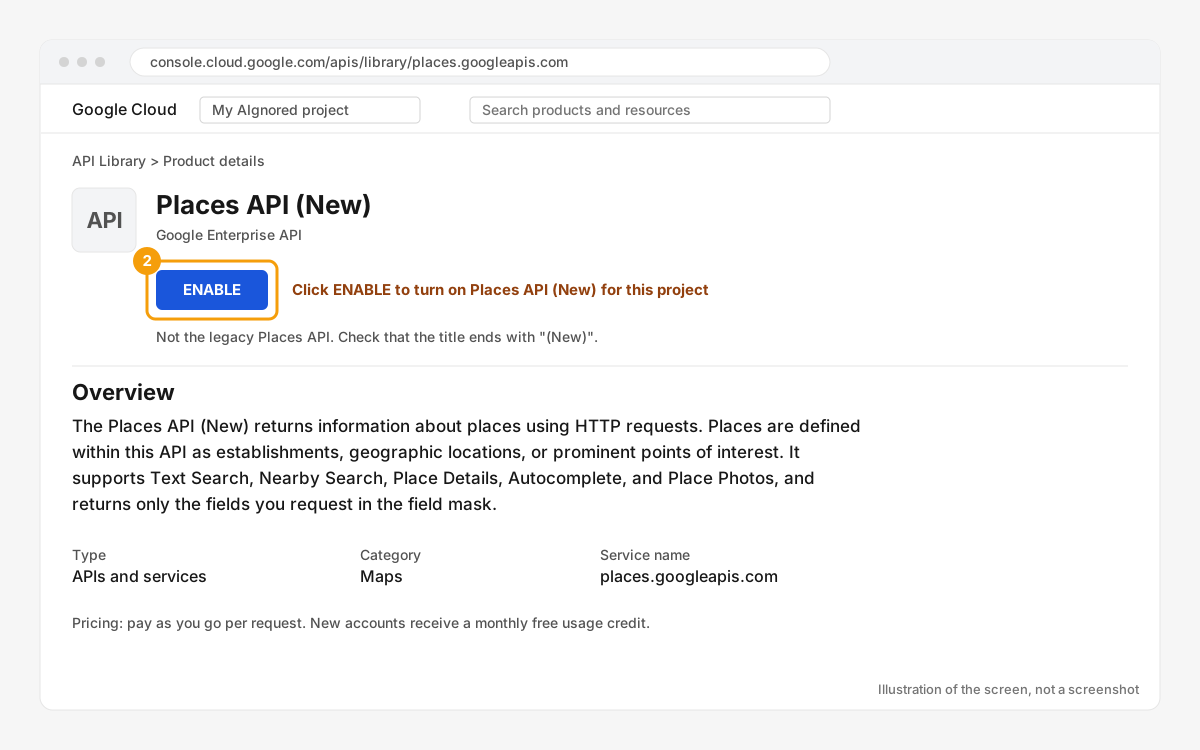
2Enable Places API (New)
Go to the Places API (New) library page with your new project selected and click Enable. It must be the one called Places API (New). The older Places API uses different endpoints and will fail verification with the message "has not been used in project ... or it is disabled".
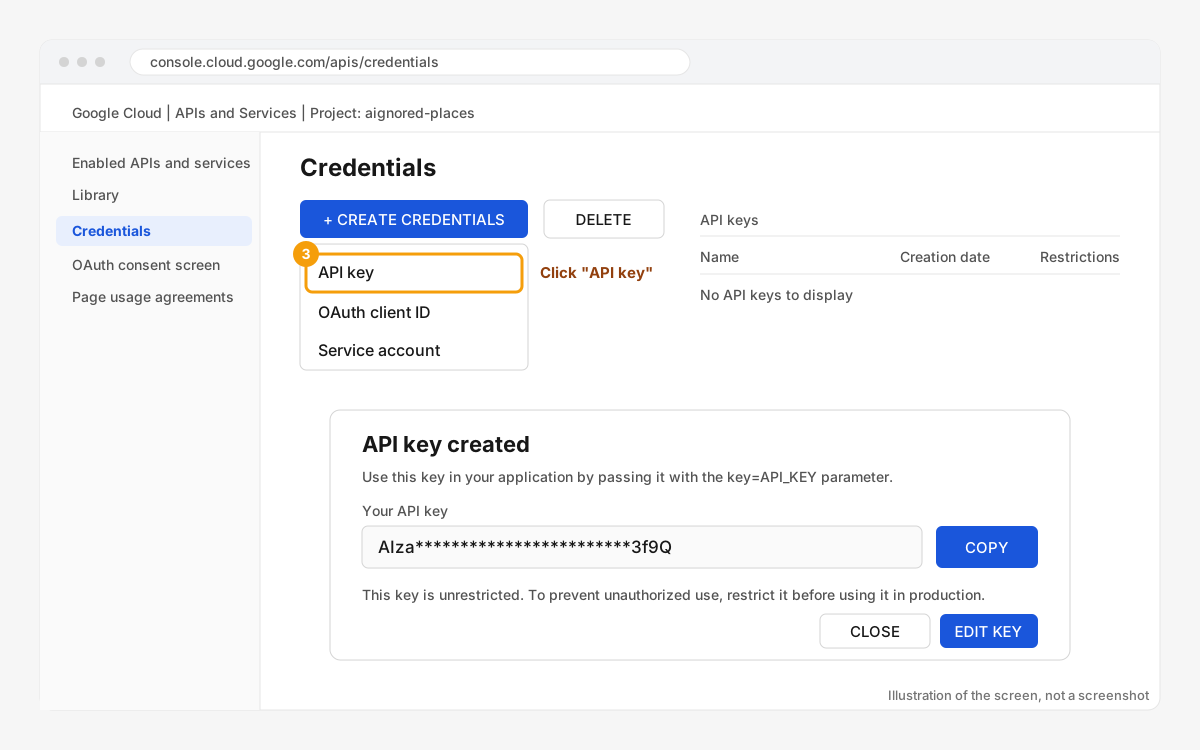
3Create an API key
Open APIs & Services > Credentials, click Create credentials and pick API key. Copy the key that starts with AIza. You can always see it again on this page, so there is no need to store it elsewhere.
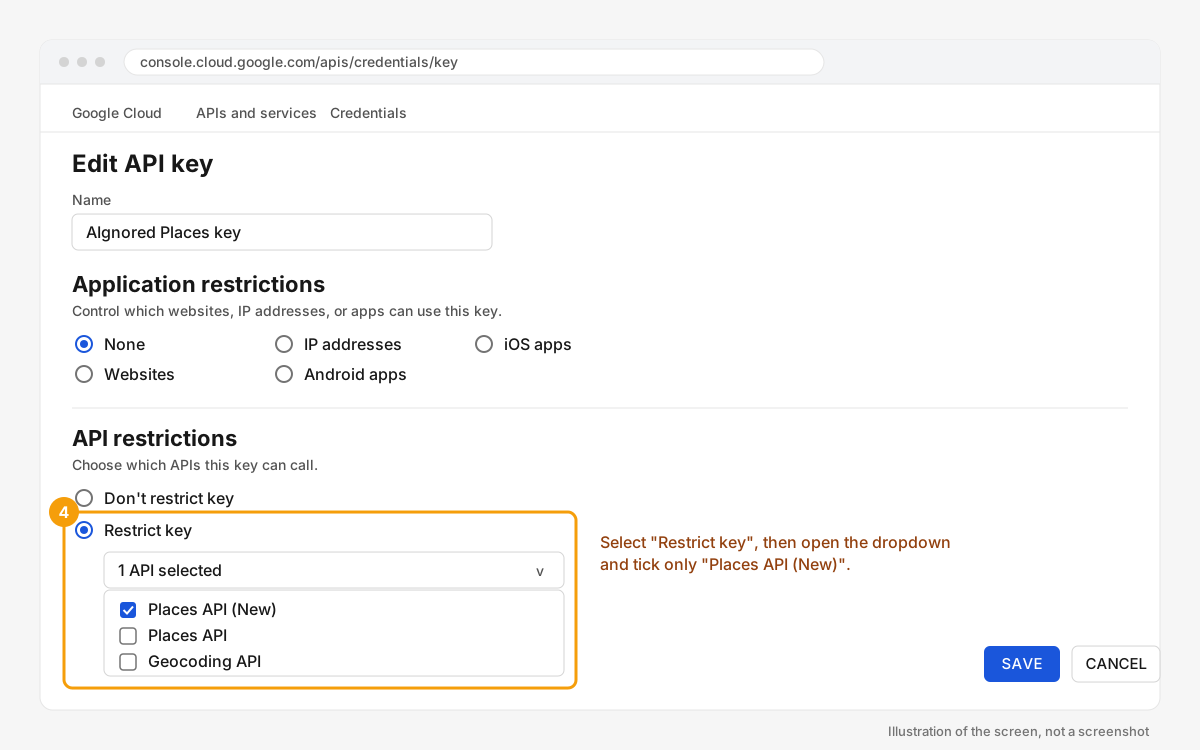
4Restrict the key to Places API (New)
Click the key name to edit it. Under API restrictions choose Restrict key and tick only Places API (New). Leave Application restrictions on None: AIgnored calls Google from its server, and HTTP referrer or IP restrictions block those calls. Save. Restrictions can take a minute to apply.
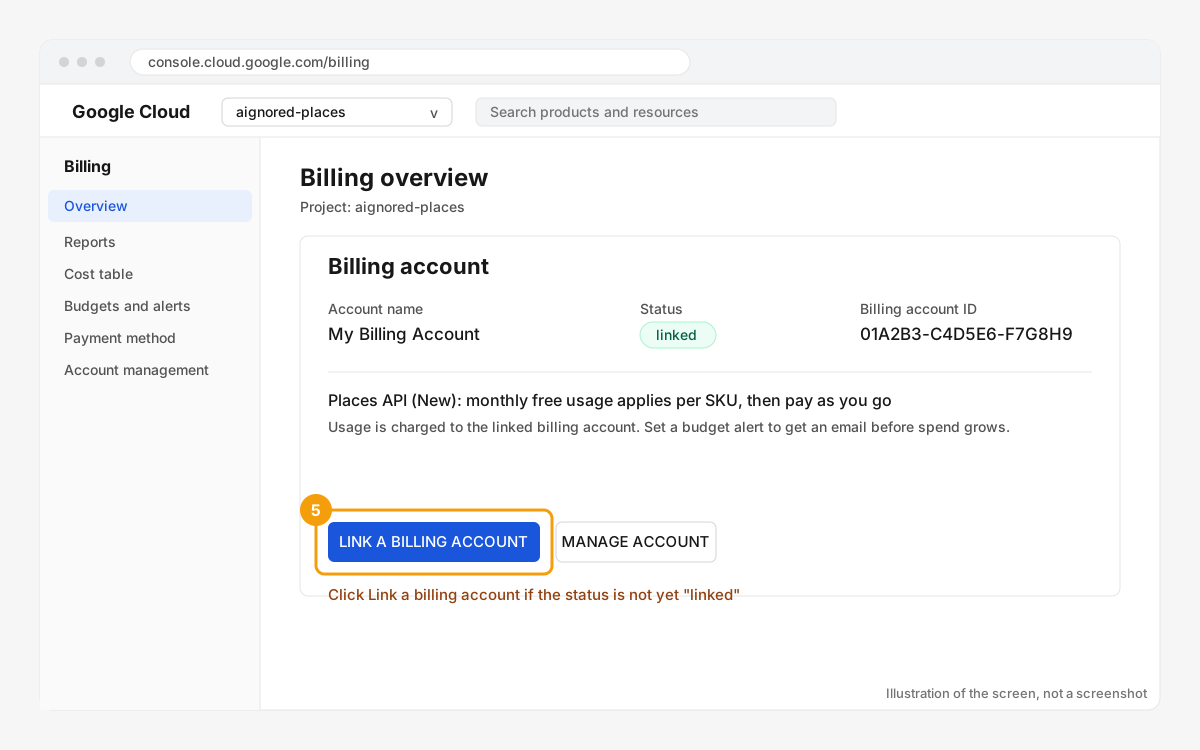
5Link a billing account
Places API (New) requires a billing account on the project even while you stay inside the free monthly allowance. Open Billing and link one. To cap spend, set a budget alert on the same page.
AIgnored asks only for the fields it uses: id, name, business status, rating, review count and website, and on a Place Details lookup the phone number the CSV export writes. Google bills rating, review count, website and phone number at its Enterprise tier, so scan searches count as Text Search Enterprise, and every Place Details lookup in the next section counts as Place Details Enterprise. Check the free allowance and the price of both on Google's Places pricing list before you set the budget.
Every Places call AIgnored makes with your key
Google bills each of these to the Cloud project that owns the key.
- A scan: 1 to 3 Text Search calls, one for each page of up to 20 results.
- Opening a results table: one Place Details call per business in the scan, up to 60, every time the table opens.
- Opening the leads board: one Place Details call per lead it shows, every time it opens, and one for each older lead you load.
- A CSV export: one Place Details call per business in the file, plus one for each top competitor that is not already in it, up to 1,000 per export.
- The daily lead refresh: once a day, each saved lead marked new, contacted or replied whose snapshot is older than 25 days gets one Place Details call, so its stored name, rating, review count and website domain stay current. It runs without you opening AIgnored. Won and lost leads are not refreshed.
- Verifying the key: one Text Search with an id-only field mask, billed at Google's IDs Only tier. The next section explains it.
Paste the key into AIgnored
Go to Settings > API keys, open the Google Places card, paste the key and click Verify. Verification runs one Text Search for "coffee in Austin" with a single result and an id-only field mask, then reports whether Places API (New) is enabled on the key's project. An id-only request is billed at Google's IDs Only tier.
The field masks AIgnored sends
Every Places request carries an X-Goog-FieldMask header, and the fields in it decide which SKU Google bills. A scan sends this mask to Text Search, with nextPageToken so it can read up to 3 pages of 20 results:
curl -X POST "https://places.googleapis.com/v1/places:searchText" \
  -H "Content-Type: application/json" \
  -H "X-Goog-Api-Key: YOUR_KEY" \
  -H "X-Goog-FieldMask: places.id,places.displayName,places.rating,places.userRatingCount,places.websiteUri,places.businessStatus,nextPageToken" \
  -d '{"textQuery": "plumbers in Austin, TX", "maxResultCount": 20}'
A results table, the leads board, a CSV export and the daily lead refresh send this mask to Place Details, once for each business:
curl "https://places.googleapis.com/v1/places/PLACE_ID" \
  -H "X-Goog-Api-Key: YOUR_KEY" \
  -H "X-Goog-FieldMask: id,displayName,rating,userRatingCount,websiteUri,businessStatus,nationalPhoneNumber,internationalPhoneNumber"
Copy either one to reproduce a call with curl.
If verification fails
- "has not been used in project ... or it is disabled": step 2 was skipped, or the legacy Places API was enabled instead. Enable Places API (New) and wait a minute.
- "API key not valid": the key was pasted with a missing character, or it belongs to a different project. Copy it again from the Credentials page.
- "Requests from referer ... are blocked" or an IP error: an application restriction is set. Set it to None (step 4).
- "This API method requires billing to be enabled": link a billing account (step 5).