Docs
Get your AI API keys
Scans ask the AI models directly with your own keys, so you control the cost and nothing is billed through AIgnored. One key is enough to start. Gemini is the one to start with: Google includes a monthly allowance of search-grounded requests at no charge, and a scan uses 8 per model. We do not quote dollar figures here, because provider prices change and theirs are the ones that bill you.
1Gemini (Google AI Studio)
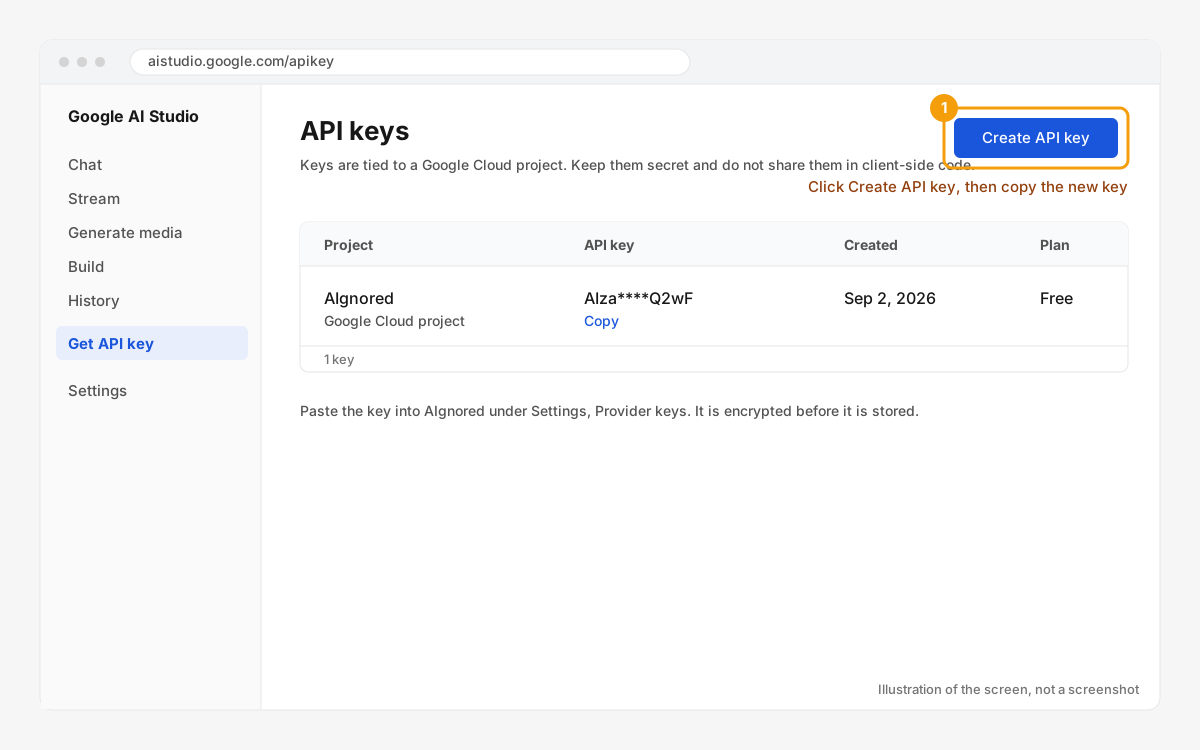
Open aistudio.google.com/apikey, sign in with a Google account and click Create API key. Pick an existing Google Cloud project or let AI Studio create one. The key starts with AIza. A scan costs $0 while you stay inside Google's monthly grounding allowance. Past it, the cost per scan is 8 times what Google charges for one grounded request on that model today, which is on Google's Gemini API pricing page.
2OpenAI (platform.openai.com)
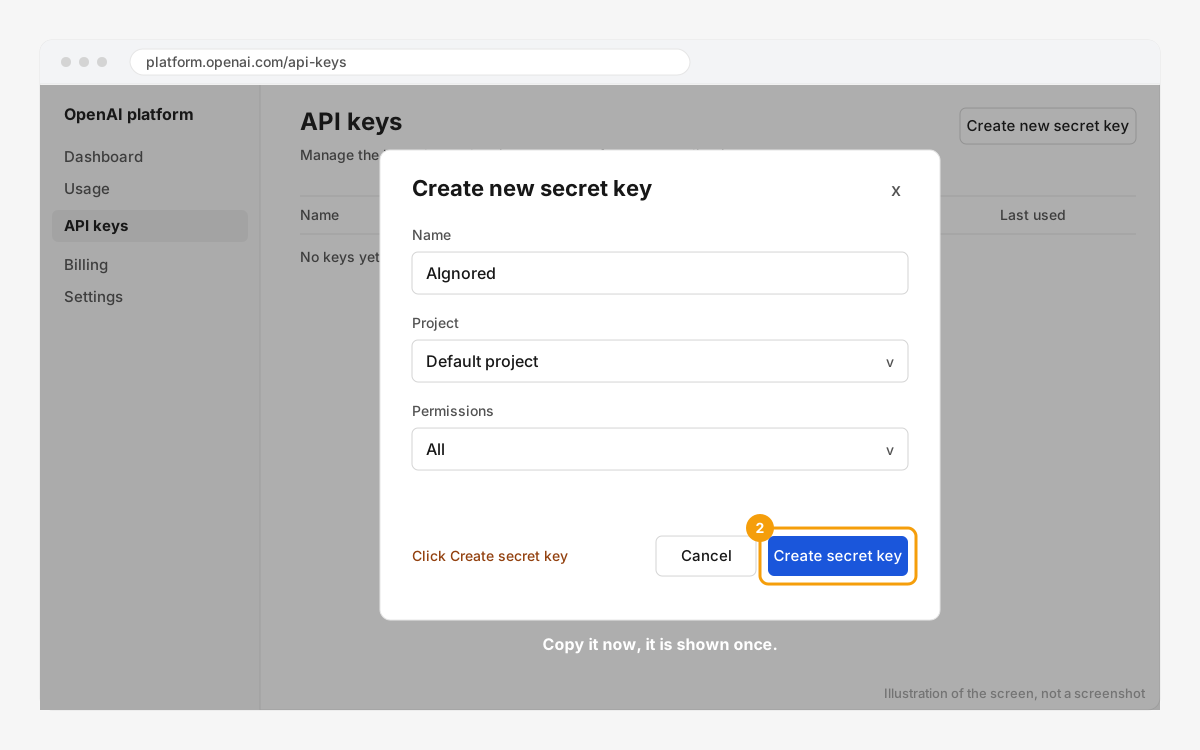
Open platform.openai.com/api-keys, click Create new secret key, name it AIgnored and leave permissions on All. Copy it right away: OpenAI shows a secret key once. Add a small prepaid balance under Billing; a scan spends 8 requests per model on the Responses API with web search, so the cost per scan is 8 times whatever OpenAI charges for that model today.
3Perplexity (perplexity.ai)
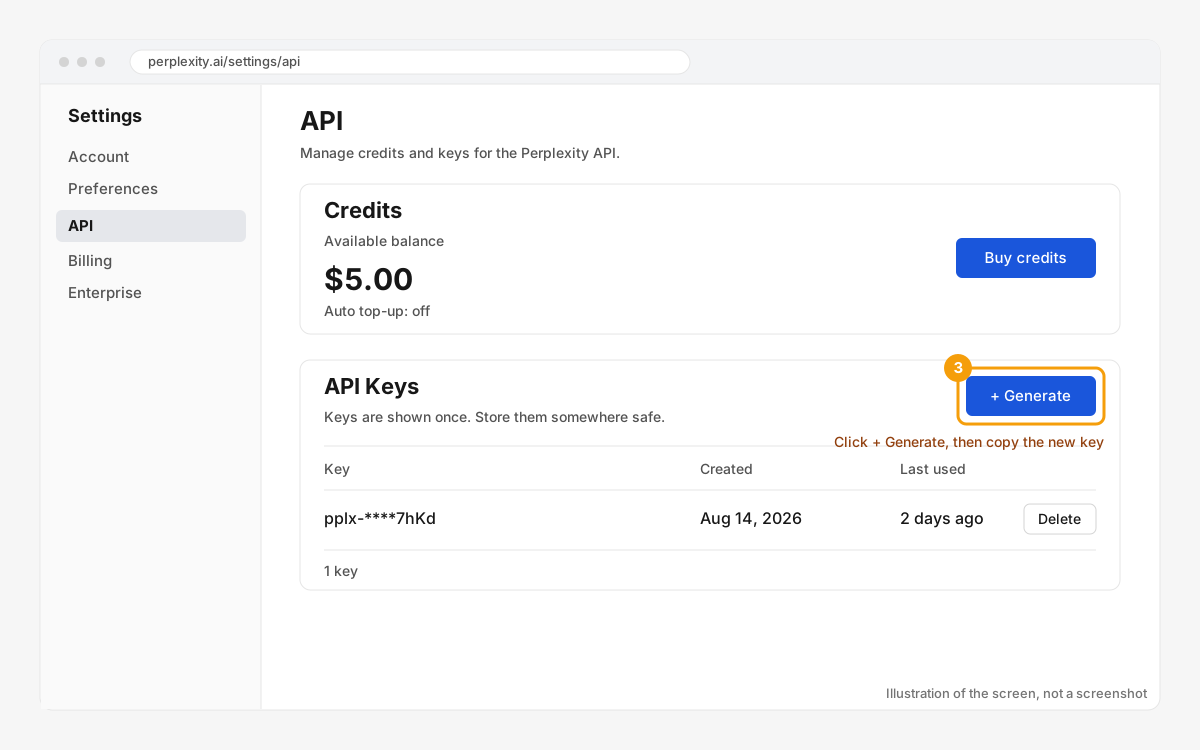
Open perplexity.ai/settings/api, buy a few dollars of credits, then click Generate under API keys. The key starts with pplx-. Sonar answers come with web search built in, so the cost per scan is 8 times what Perplexity charges for one Sonar request today.
Anthropic (Claude)
Support for Claude keys exists behind a feature flag and is off at launch. When it is switched on, the card appears in the vault and keys come from console.anthropic.com.
Paste and verify
Go to Settings > API keys, open the provider card, paste the key and click Verify. Verification sends a 1-token request and a second request with search grounding on, then stores the result. If the provider rejects the key, its error message shows on the card word for word, with a hint about the usual cause.
Keys are encrypted with AES-256-GCM before they are stored. After saving, only the last 4 characters are ever shown again. Delete a key at any time from the same card.